Getting started
Quickstart
Run Sightglass and observe one important operation in a few minutes.
Sightglass is one container plus the SDK packages your application needs. Installing an SDK is silent until you explicitly wrap an operation.
Use only the official @bazokhan/sightglass-* npm packages and the bazokhan/sightglass Docker image. Release notes and versioned source are published on GitHub.
Requirements
- A Node.js application running Node 22.13 or newer
- Docker for the self-hosted server
- Network access from the application to the Sightglass ingestion endpoint
Run the server
docker run -d --name sightglass \
  -p 7777:7777 \
  -v sightglass-data:/data \
  -e SIGHTGLASS_PUBLIC_URL=http://localhost:7777 \
  -e SIGHTGLASS_INSECURE_HTTP=true \
  bazokhan/sightglass:latest
Read the one-time administrator setup link from the container logs, open it, and create the first account:
docker logs sightglass
The link expires after 24 hours. After signing in, open Settings → Keys, create an ingestion key, and copy it immediately. Sightglass stores only the key hash, so the value cannot be shown again.
Install the SDK
For plain Node.js, install core:
npm install @bazokhan/sightglass-core
For a framework, install core and the adapter, for example:
npm install @bazokhan/sightglass-core @bazokhan/sightglass-express
Choose packages by integration:
| Integration | Packages |
|---|---|
| Plain Node.js | @bazokhan/sightglass-core |
| Express or tsoa | Core and @bazokhan/sightglass-express |
| Fastify | Core and @bazokhan/sightglass-fastify |
| NestJS | Core and @bazokhan/sightglass-nest |
| Next.js Route Handlers | Core and @bazokhan/sightglass-next |
| Prisma | Core, your web-framework adapter, and @bazokhan/sightglass-prisma |
Configure once
import { configureSightglass } from "@bazokhan/sightglass-core";

configureSightglass({
  service: "billing-api",
  environment: "production",
  endpoint: "http://sightglass:7777",
  apiKey: process.env.SIGHTGLASS_INGESTION_KEY,
});
Observe one operation
import { observe } from "@bazokhan/sightglass-core";

const checkout = observe("checkout", async () => {
  observe.set({ tenantId: "tenant-42", plan: "pro" });
  const order = await observe.step("create-order", createOrder);
  observe.event("order.created", { orderId: order.id });
  return order;
});

const result = await checkout();
Unwrapped work stays invisible. Before process exit, stop accepting work and call await shutdownSightglass() to drain buffered telemetry.
Confirm delivery
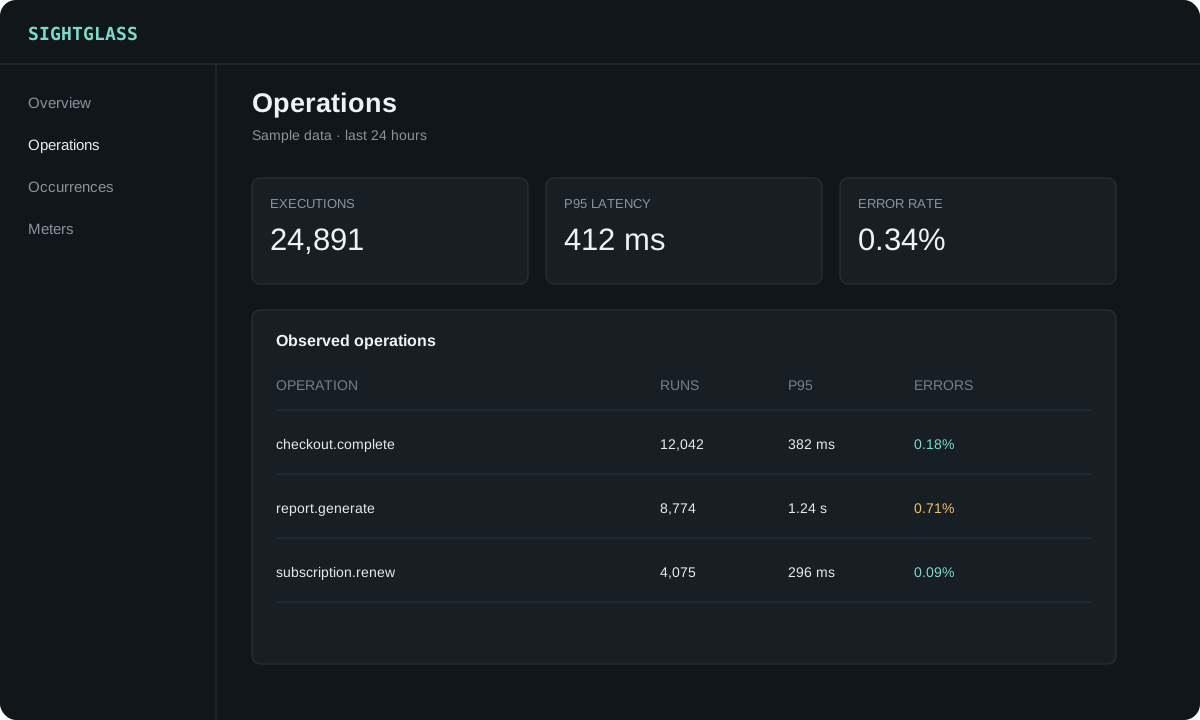
Open http://localhost:7777, sign in, run the observed operation once, and select the matching service and environment. If nothing appears, check that the application can reach the configured endpoint and that its apiKey is an active key from Settings → Keys.
SIGHTGLASS_INSECURE_HTTP=true is only for local HTTP. Production deployments must use HTTPS and should omit it.